A powerful Personal Knowledge Management System for organizing, linking, and discovering your notes, ideas, and projects. Built with modern web technologies and inspired by tools like Obsidian, Notion, and Roam Research.
Experience NoteMesh in action: NoteMesh Demo
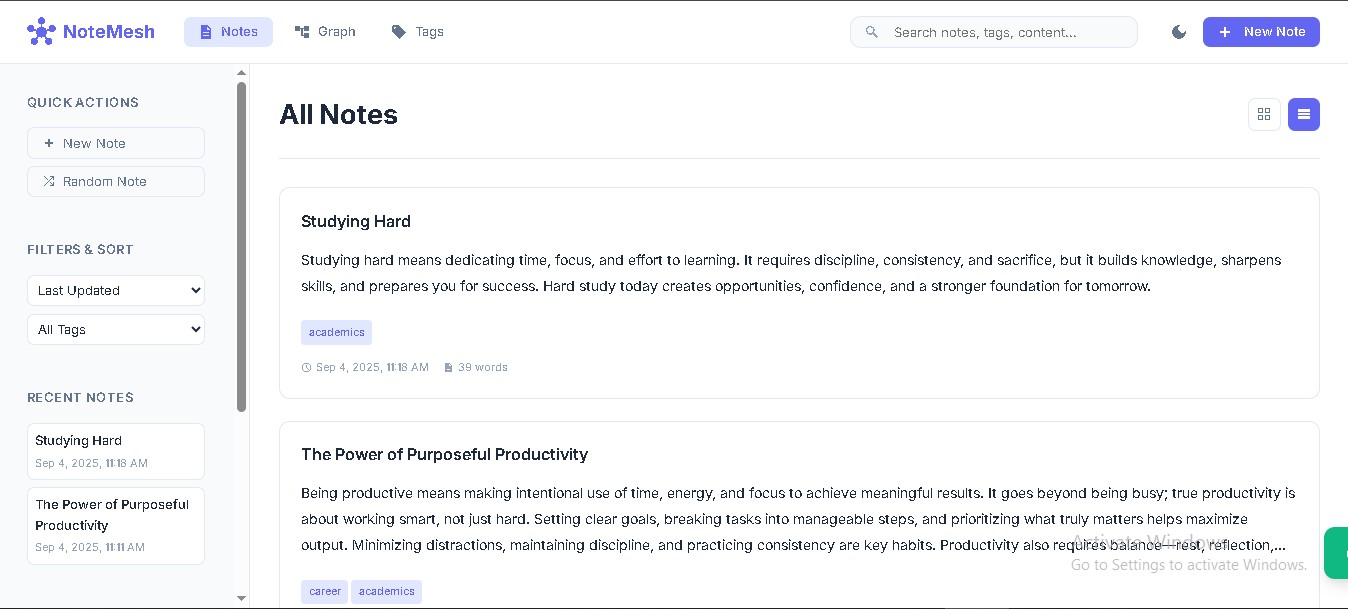
- Rich Note Editor: Create and edit notes with title, content, and tags
- Note Linking: Connect notes using
[[Note Title]]syntax for bidirectional linking - Smart Tags: Organize notes with tags and see tag-based connections
- Search & Filter: Powerful full-text search across all note content
- Advanced Sorting: Sort by title, creation date, update date, or word count
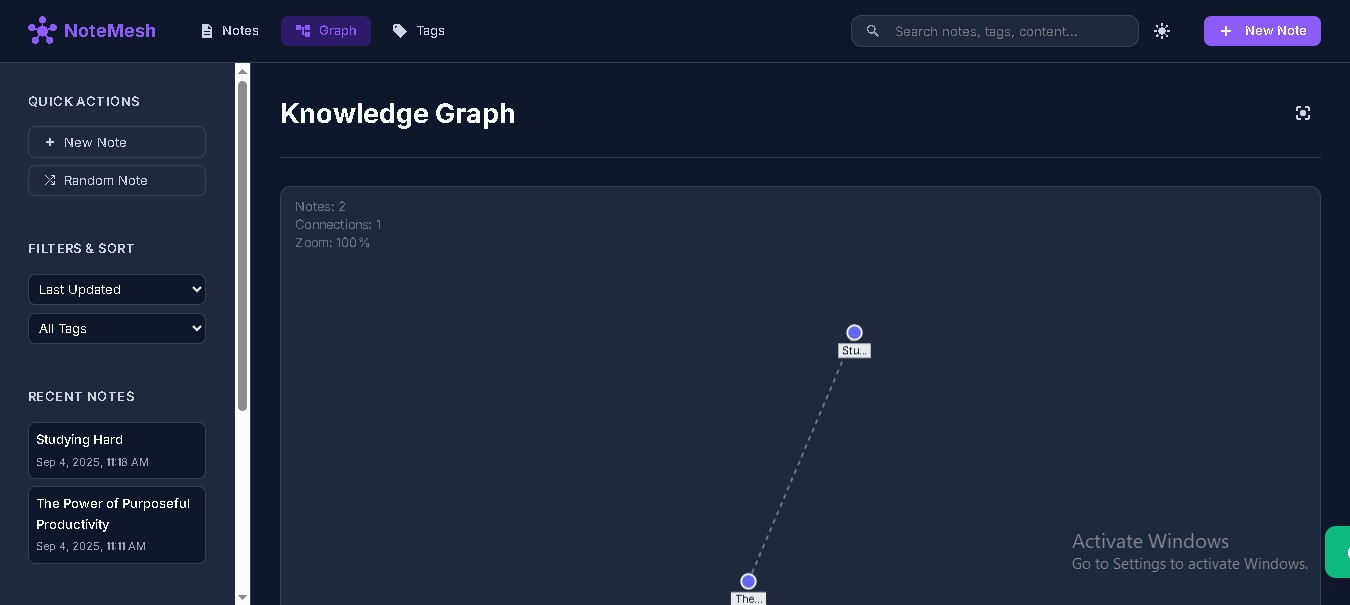
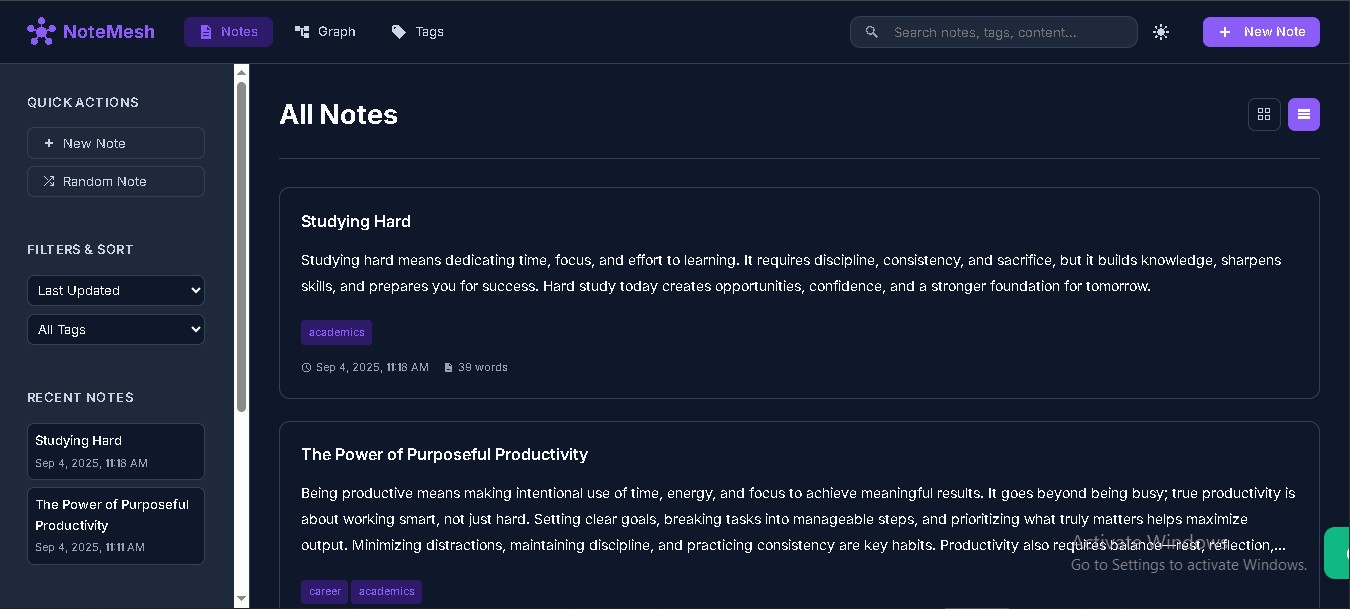
- Dark/Light Theme: Toggle between beautiful light and dark themes
- Responsive Design: Works seamlessly on desktop, tablet, and mobile devices
- Multiple Views: Switch between list and grid layouts for notes
- Interactive Sidebar: Quick access to recent notes, tags, and statistics
- Modal Interface: Clean, focused editing and viewing experience
- Visual Network: Interactive graph visualization of note connections
- Force-Directed Layout: Automatic positioning with physics simulation
- Connection Types: Visual distinction between direct links and tag-based connections
- Interactive Navigation: Click, zoom, pan, and explore your knowledge network
- Node Details: Hover and click nodes to see note information
- Real-time Statistics: Track total notes, tags, and word count
- Keyboard Shortcuts: Efficient navigation with keyboard commands
- Local Storage: All data stored locally in your browser
- Export/Import: Backup and restore your entire knowledge base
- Random Note: Discover forgotten notes with random selection
- Backlinks: See which notes reference each note
- Loading Animations: Smooth transitions and loading states
- Notifications: Instant feedback for all actions
- Auto-save: Never lose your work with automatic saving
- Tag Suggestions: Smart tag completion based on existing tags
- Recent Notes: Quick access to recently modified notes
- Clone the repository:
git clone https://github.com/realitystevens/NoteMesh.git
cd NoteMesh- Open
index.htmlin your web browser - Start creating and linking your notes!
For local development with live reload:
# Using Python 3
python -m http.server 8000

# Using Node.js
npx http-server

# Using PHP
php -S localhost:8000
Then open http://localhost:8000 in your browser.
- Click the "New Note" button in the header or sidebar
- Enter a title and content for your note
- Add tags (comma-separated) to categorize your note
- Click "Save Note" to create the note
Connect your notes by using double square brackets:
This note references [[Another Note Title]] and [[Yet Another Note]].
Linked notes will appear as clickable links and create connections in the knowledge graph.
Tags help organize and connect related notes:
- Add tags when creating or editing notes
- View all tags in the Tags view
- Filter notes by tag using the sidebar filter
- Click tags on notes to filter by that tag
- Access the graph via the Graph tab in the navigation
- Zoom: Mouse wheel or pinch gestures
- Pan: Click and drag empty space
- Move Nodes: Drag individual nodes
- Select Nodes: Click to highlight connections
- Open Notes: Double-click nodes to open note details
Ctrl/Cmd + N: Create new noteCtrl/Cmd + K: Focus search barEscape: Close modals and dialogs
NoteMesh is built with modern web technologies:
- Vanilla JavaScript: Pure ES6+ with Object-Oriented Programming
- CSS3: Modern styling with CSS Grid, Flexbox, and Custom Properties
- HTML5: Semantic markup with accessibility features
- Canvas API: High-performance graph visualization
NoteMesh supports both light and dark themes. The theme system uses CSS custom properties for easy customization:
:root {
  --color-primary: #6366f1;
  --color-secondary: #f59e0b;
  --bg-primary: #ffffff;
  --text-primary: #1e293b;
  /* ... more variables */
}
Built with ❤️ using Vanilla JavaScript and modern web standards.
NoteMesh - Your thoughts, connected.