A personal project co-created with Claude. This is a user-friendly, feature-rich tool designed to help you manage and export conversations from AI platforms. Filter through hundreds of conversations to find exactly what you need—from images and thinking processes to attachments, Artifacts, and tool call details.
- Conversation Management: Load multiple conversation JSON files from Claude, ChatGPT, Gemini, Grok, NotebookLM, and Google AI Studio. Supports exporting entire Claude, ChatGPT account data for comprehensive management, supports batch loading entire folders
- Smart Search: Search message content, find conversations with image attachments, thinking processes, and Artifacts, supports semantic search (requires embedding model)
- Tagging System: Mark messages as completed, important, or deleted, with format preservation during export
- Flexible Export: Export to Markdown, PDF (with LaTeX formulas and images), and long screenshot formats, supports batch export and batch export of latest branches
- Branch Detection: Automatically detect and visualize conversation branches, supports Gemini, Grok, and SillyTavern multi-branch parsing, one-click jump to latest branch
- Rich Content Parsing: Intelligently recognize image attachments, thinking processes, and Markdown syntax
- Mobile Optimization: Hide navigation bar on scroll down, support back operations, mobile-specific global search interface
Lyra Exporter relies on browsers to safely obtain conversation data. With this open-source script, transfer chat records worth treasuring
- Install the Tampermonkey browser extension
- Install Lyra Exporter Fetch script from Greasy Fork
- Visit Claude.ai, ChatGPT, Gemini, Grok, AI Studio, or NotebookLM
- Click the export button on the page (enable the "Real-time" option in the companion script to use multi-branch parsing)
- Choose export options (single conversation / full account)
- Data is automatically sent to Lyra Exporter or downloaded locally
Rather than building a complex local search engine, here's my practical approach: (just for reference, be care for your personal data)
- Use Lyra Exporter to export conversations
- Identify 3-5 related conversations worth organizing
- Feed them to NotebookLM for analysis and synthesis
- Archive refined insights in Obsidian
Fast, nearly free, and gets the job done.
| Lyra Exporter |
|---|
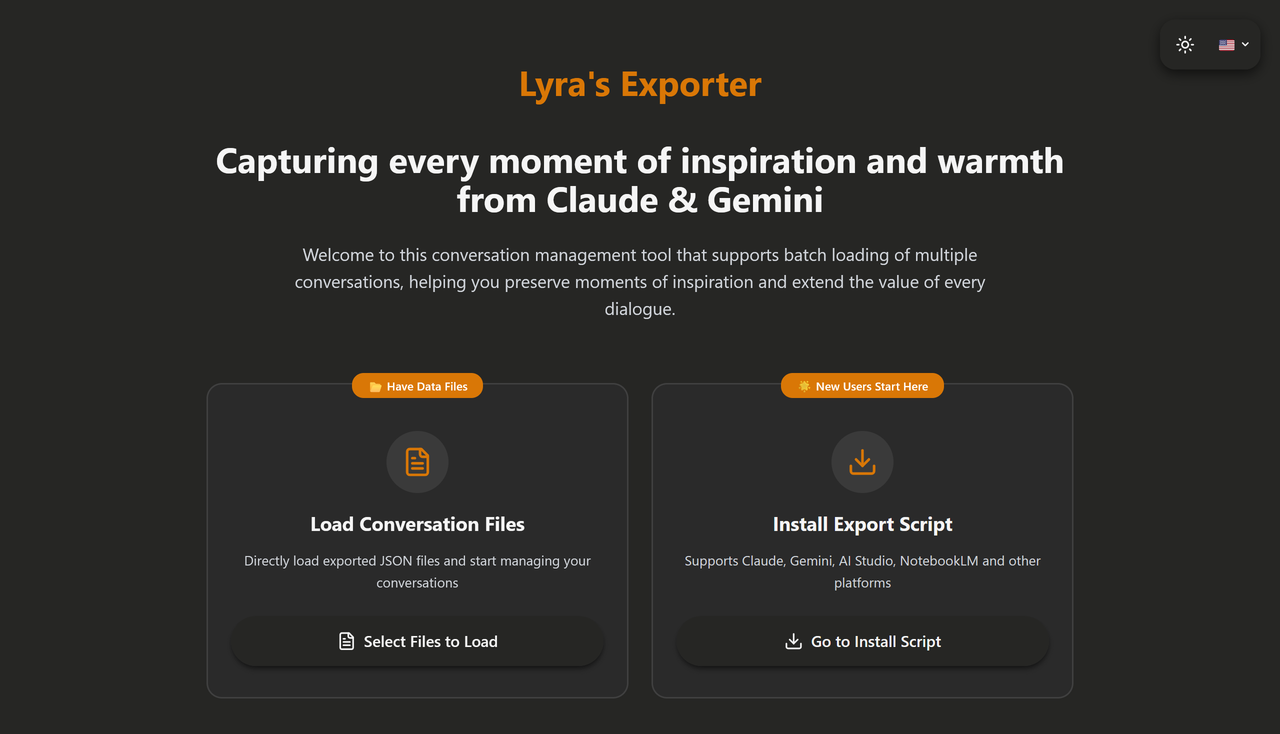 |
| Global Search |
|---|
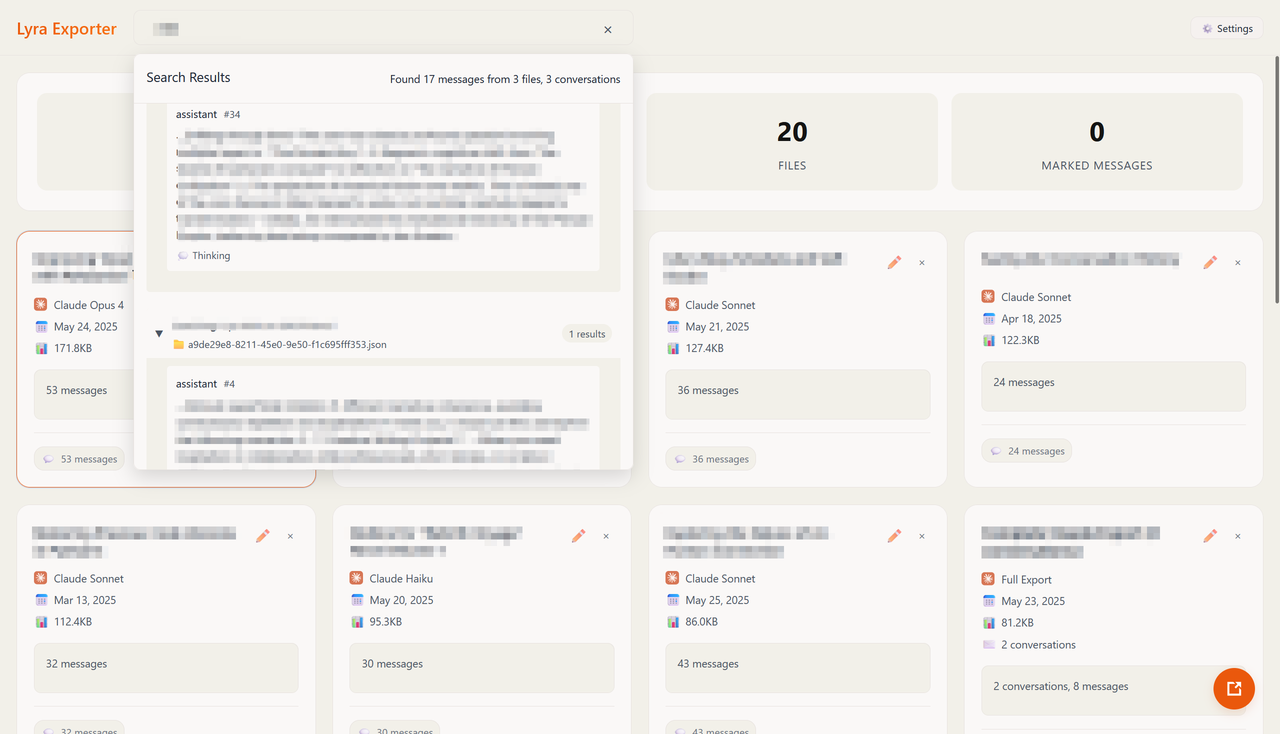 |
| Card-Style Conversation View |
|---|
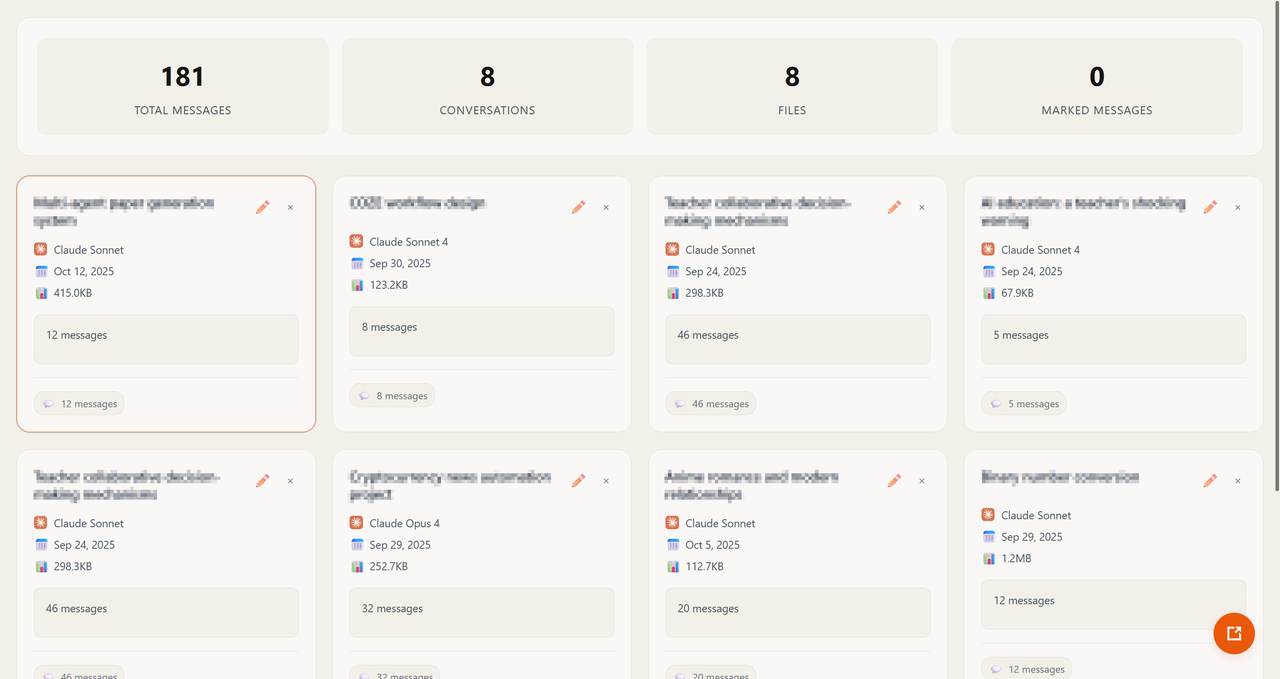 |
| Timeline Message Management |
|---|
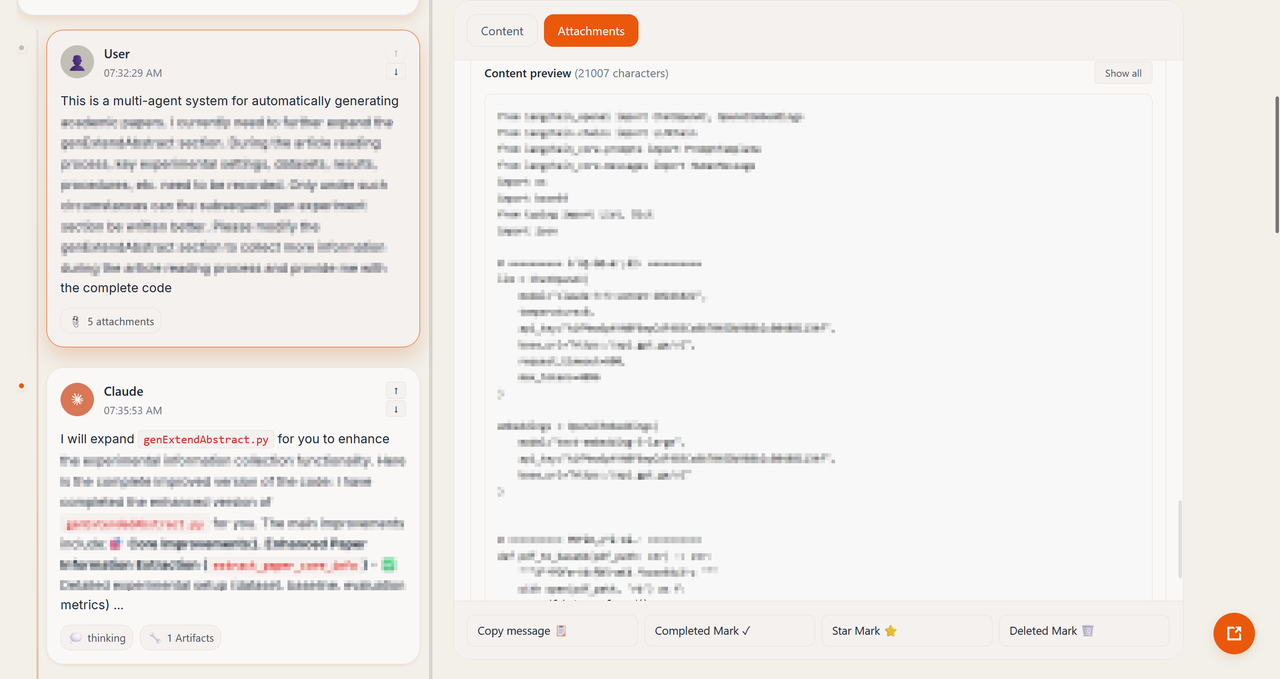 |
Broad Platform Compatibility:
- Claude, ChatGPT: From single conversations to complete account exports (including all conversations, projects, attachments, Artifacts, etc.)
- Gemini: Full support for Gemini conversation format (including images and canvas), supports multi-branch parsing
- Grok: Support for Grok conversation format and multi-branch parsing (requires updating companion script to latest version)
- NotebookLM: Intelligent recognition of NotebookLM export data
- Google AI Studio: Support for AI Studio conversation format
- SillyTavern: Support for SillyTavern conversation format, enhanced multi-branch parsing, can load entire folders and merge different branches into the same timeline
Smart Format Recognition:
- Auto-detect file format types—no manual selection needed
- Batch load multiple files, supports loading entire folders at once (pure local browser static operation)
- File type compatibility checks to prevent confusion
Dual View Modes:
- Conversation List View: Card-based display of all conversations for quick browsing and selection
- Timeline View: Complete display of all messages in a conversation with branch visualization
Intelligent Search & Filtering:
- Real-time search across message content and conversation titles
- Semantic search functionality (requires embedding model)
- Quick filter for conversations with image attachments
- Find messages with thinking processes
- Locate conversations with created Artifacts
- Support for multi-condition combined filtering
Branch Visualization:
- Auto-detect conversation branch structures
- Clearly mark branch points and paths
- One-click jump to latest branch for quick access to the newest content
- Easily trace the complete evolution of conversations
Star System (preserves Claude's conversation favorites):
- Mark important conversations
- Filter by starred status
- Add custom stars
- Reset to Claude's initial recorded state
Three Tag Types:
- ✅ Completed: Mark processed messages
- ⭐ Important: Highlight crucial content
- 🗑️ Deleted: Mark messages for cleanup
Smart Tag Management:
- Cross-file tag statistics
- Option to export only tagged content
- Auto-persist tag information
- Real-time tag count updates
Multiple Export Formats:
- Markdown: Preserve original message format and structure, support code highlighting and syntax annotation
- PDF: Export to PDF format with LaTeX formulas and images
- Long Screenshot: Export to long screenshot format
Rich Export Options:
- Include/exclude timestamps
- Include/exclude thinking processes
- Include/exclude Artifacts content
- Include/exclude tool usage records (web search, code execution, etc.)
- Include/exclude citation information
Flexible Export Scope:
- Current Conversation: Export the conversation you're viewing
- Operated Conversations: Batch export all marked or modified conversations
- All Conversations: One-click export of all loaded conversations
- Latest Branch: Batch export the latest branches of conversations for more convenient batch export experience
Batch Export:
- Multiple conversations automatically packaged as ZIP files
- Support batch export of latest branches (the original claude_all_conversation can now be exported to a single compressed package)
- Smart file naming (title + timestamp)
- Support for large-scale exports
- Fixed previous markdown batch export failures
Rich Format Records in Conversations:
- Image Attachments: Display thumbnails, click to view full size, preserve image references in exports
- Thinking Processes: Complete preservation of Claude's internal thinking, collapsible display
- Artifacts: Recognize all created code, documents, charts, and components
- Tool Calls: Record web searches, code execution, file reading, and other operations
- Citations: Preserve all web search reference sources
Message Detail Viewing:
- Multi-tab display: Content / Thinking / Artifacts / User Attachments
- Copy individual messages
Real-Time Statistics:
- Conversation count, message count
- Tag statistics (completed/important/deleted)
- Search result counts
Multiple Sorting Options:
- Sort by update time
- Sort by creation time
- Sort by title
- Support for custom sorting
- User selects files →
handleFileLoad - File validation and deduplication →
loadFiles - Compatibility check →
checkFileTypeCompatibility - Data parsing →
extractChatData - Format detection →
detectFileFormat - Specific parser processing →
extractXxxData - Branch detection →
detectBranches - UI update and view switching
- User clicks tag →
handleMarkToggle - Tag state toggle →
toggleMark - localStorage storage →
saveMarks - Statistics update →
getMarkStats - UI feedback update
- User configures export options
- Determine export scope → current/operated/all
- Collect target data →
exportCurrentFile/exportOperatedFiles/exportAllFiles - Filter and screen → based on tags and configuration
- Generate Markdown →
exportChatAsMarkdown - Save file →
saveTextFile
- User enters search terms →
handleSearch - Real-time search →
useSearch.search - Filter results →
filteredMessages - Highlight display → UI component handling
- Message Source Verification: API_CONFIG.ALLOWED_ORIGINS whitelist
- File Size Limits: FILE_LIMITS.MAX_FILE_SIZE (100MB)
- File Type Validation: JSON format only
- XSS Protection: All user content processed before display
- Local Storage Isolation: UUID prefix for storage keys
Use Online:
- Direct access: https://yalums.github.io/lyra-exporter/
Build Locally:
# Clone the repository (or Download from the releases)
git clone https://github.com/Yalums/lyra-exporter.git
cd lyra-exporter

# Install dependencies
npm install

# Start development server
npm startMethod 1: With Companion Script (Recommended)
- Install Lyra Exporter Fetch script (see above)
- Click the "Preview" button on the respective platform's webpage
- Data automatically loads into Lyra Exporter hosted on GitHub Pages
Method 2: Manual File Loading
- Open Lyra Exporter
- Click the "Save as JSON" button on the respective platform's webpage
- Run Lyra Exporter and select JSON files exported from Claude, Gemini, or other platforms
- Start managing and organizing into Markdown documents